I was clicking around the Internet the other day looking for fabric distributors for a friend of mine who’s starting her own business. That’s when I came across Spoonflower.
But as soon as I saw what Spoonflower does, I thought of you.
Spoonflower is a marketplace for digital product creators to turn their digital art into home products. I’d never seen this before and it is quite intriguing.
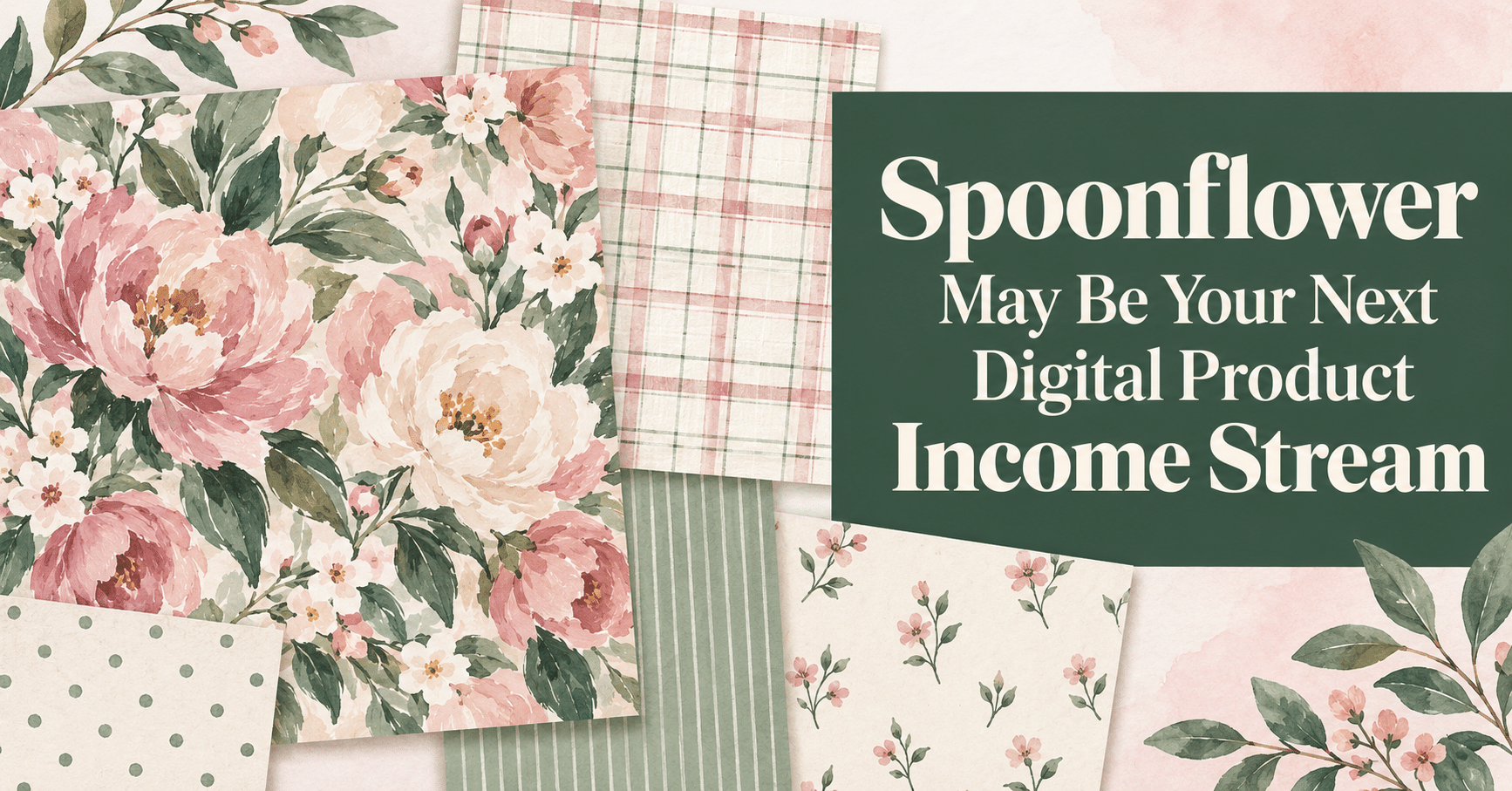
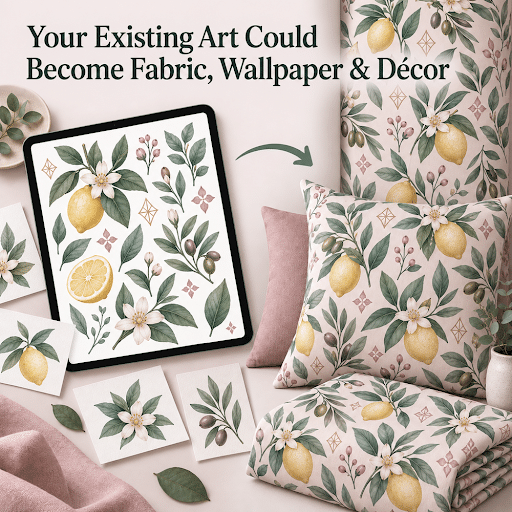
Do you create digital items to sell such as clipart, digital papers, seamless patterns, digital backgrounds, etc.? Then you may have another income stream sitting inside products you’ve already made. The illustrations, decorative backgrounds, watercolor elements and other original artwork from those products could take on an entirely new life.
That artwork might be able to become:
- Fabric
- Wallpaper
- Throw pillow cover
- Bedding
- Curtains
- Table linens
- Other physical products
…without you buying inventory, finding a manufacturer or shipping a single order.
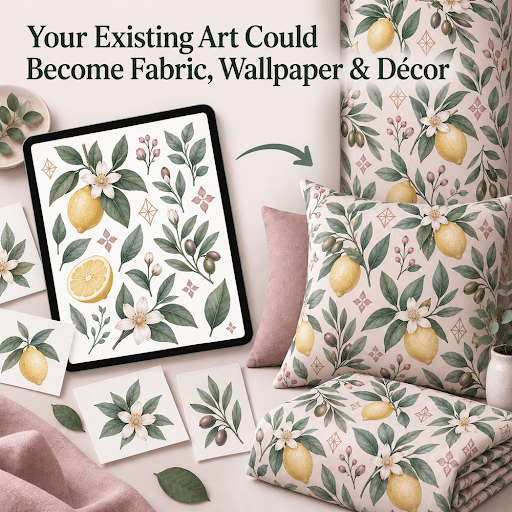
Before you start uploading everything on your computer, however, there are a few things you need to know. Spoonflower won’t be a good fit for every seller or every type of artwork.
Let’s look at what it is, how it works, which products you might be able to repurpose and the pros and cons of giving it a try.
What Is Spoonflower?
In short, Spoonflower lets you upload original surface designs that customers can order on fabric, wallpaper and home décor. It could be especially useful if you already sell digital products and want to earn more from artwork you own without manufacturing or shipping physical goods yourself.
Spoonflower is a print-on-demand marketplace built around surface designs. Independent artists upload artwork, and customers choose which designs they want printed on fabric, wallpaper or finished home décor.
For example, someone sewing a child’s dress might buy fabric printed with the ladybug pattern you created and are selling as clipart. A decorator could order wallpaper featuring the watercolor lemons from a seamless background you sell. Another shopper might choose the floral design from your wedding invitations for throw pillows or curtains.
Spoonflower handles the printing, payment processing, production and fulfillment. You provide the design and earn a royalty when a customer buys a product featuring it.
This isn’t the same as uploading a printable planner or a digital paper pack. Most Spoonflower products require a seamless repeat: one rectangular or square design tile that connects perfectly to copies of itself on every side. When the tile repeats across yards of fabric or several strips of wallpaper, customers shouldn’t be able to see where one copy ends and the next begins.
That technical part may sound intimidating, but it doesn’t have to be. I’ll come back to that shortly.
Look for New Digital Product Ideas Inside Existing Products
You probably can’t take a completed journal page, ebook cover or printable worksheet and upload it unchanged. That’s not the real opportunity.
Instead, look inside the products you’ve already created.
Did you draw a collection of woodland animals for a child’s activity book? Those animals might become a nursery pattern.
Did you paint flowers for planner covers, greeting cards or journal pages? They might work on fabric, wallpaper or bedding.
Have you created kitchen illustrations, gardening icons, pet artwork, seasonal graphics or faith-inspired decorative elements? You may be able to arrange those items into coordinated repeating designs.
Good possibilities include:
- Seamless patterns
- Digital backgrounds
- Design elements from invitations
- Original clipart and illustration sets
- Watercolor flowers, foliage, food or animals
- Hand-drawn icons and doodles
- Decorative backgrounds used in printables
- Scrapbook graphics and digital-paper elements
- Children’s, nursery, classroom, craft or hobby artwork
- Holiday and seasonal collections
- Coordinated graphics you’ve already created in several colors
Text-heavy planners, spreadsheets and business forms won’t translate nearly as easily. But even those sellers may have decorative borders, icons, cover art or themed graphics worth examining.
When you’re searching for new digital product ideas, it’s easy to assume you need to create more artwork. Spoonflower offers a different possibility: use artwork you already own to reach buyers in a physical-product market.
The question isn’t, “Can I put my existing digital product on Spoonflower?”
It’s, “What original art have I already created that could become a surface design?”
One Design Can Be Offered on Numerous Products
This is one of the biggest advantages I see for existing creators.
When you sell digital products on Etsy or your own site, you’re usually offering a particular file for its intended purpose. For example, greenery wedding invitations being sold as wedding invitations. On Spoonflower, one uploaded design can potentially be printed on multiple kinds of fabric, wallpaper and finished décor.
And Spoonflower is print-on-demand (POD). That means you don’t have to create, photograph, package and fulfill every physical item separately. Spoonflower applies your design to the products it offers. So, you’re still a digital product seller, not a retailer even though you get all the benefits of being a retail seller.
There are some limitations. You can’t select every individual fabric or décor product for a design. Most décor products also need repeating patterns. Tea towels are a notable exception because they can use a specially positioned, nonrepeating design.
Still, it’s a lot of possible reach from one piece of artwork.
Spoonflower also has an optional third-party distribution program. If you opt in, the company may select some of your designs to sell through its storefronts on sites such as Etsy, Amazon and Michaels.
Spoonflower handles those outside listings and their fees. Selection isn’t guaranteed, and you don’t get to choose which designs or marketplaces it uses, but there’s no separate charge to participate, so why not?
How Much Do Spoonflower Artists Earn?
Here’s where we need to keep our expectations realistic.
Spoonflower’s base artist royalty is 10% of what the customer pays for the product after discounts. Artists who generate higher monthly commissions can qualify for bonus rates of 11%, 13% or 15%.
If you sell digital products directly, you’ll probably keep considerably more from each digital sale.
However, this is a different arrangement. You aren’t buying raw materials, operating printing equipment, keeping inventory, sewing products or fulfilling orders. You’re licensing the use of your digital design while Spoonflower does the physical work.
If this was going to be your only source of income, I’d vote no to this. But I’d view Spoonflower as an additional low-overhead revenue channel—not a replacement for your Etsy shop, website or other marketplaces where you earn much more..
Also, don’t assume that uploading five patterns will immediately produce steady sales. Spoonflower says its design library contains more than one million designs. Your titles, tags, descriptions, collections, thumbnails and promotional efforts will matter.
You’ll Need Five Strong Designs to Apply
Before you can sell, you have to apply to become a Spoonflower artist. The current application requires five distinct design concepts, along with your contact, shop and tax information.
Those five designs need to be your best work. Spoonflower says they should be:
- Original
- Seamless
- Clear rather than pixelated
- Accompanied by appropriate titles, descriptions and tags
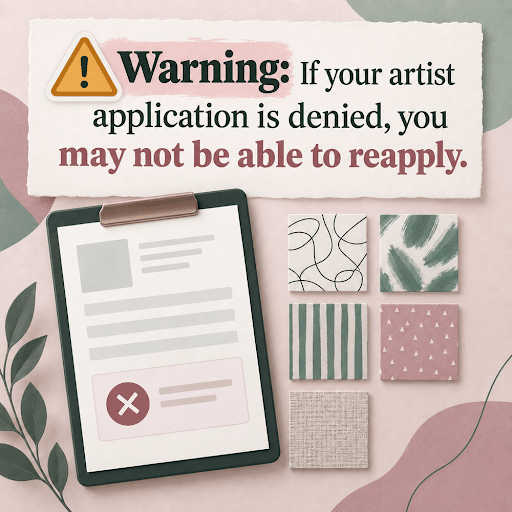
There’s an unusually important reason not to rush: Spoonflower currently says that if your artist application is denied, you can’t reapply.
I wouldn’t grab the first five graphics you find and submit them tonight. I’d create a small, polished collection first.
For example:
- One main pattern featuring several of your strongest illustrations
- A simpler coordinating pattern using one or two motifs
- Another complementary design with different spacing or movement
- A small-scale “blender” pattern, such as dots, leaves, stars or simple shapes
- A coordinating alternate pattern or color treatment
This gives Spoonflower five distinct designs to review while giving shoppers patterns they can mix and match.
That last part matters. Someone decorating a room or making a quilt may want a prominent pattern plus one or more simpler coordinates. Spoonflower specifically encourages artists to develop cohesive collections with related colors, varied motifs and different scales.
What Does Spoonflower Require From Your Files?
At the time I’m writing this, Spoonflower accepts JPG and PNG files. They must be:
- Saved in sRGB color mode
- Under 40 MB
- Prepared at the size you want them to print
- Created at 150 pixels per printed inch
If you want a design tile to print four inches wide and four inches tall, for example, your file should be 600 × 600 pixels. A 12-inch square repeat would need to be 1,800 × 1,800 pixels.
Spoonflower lets you reduce a design’s printed scale after uploading it, but you can’t enlarge it beyond 100%. That means it’s better to upload artwork at the largest size you expect to use.
You’ll also have to examine and approve a digital proof before making each design available for sale. Spoonflower strongly recommends ordering a physical test swatch, too.
I’d follow that recommendation, at least for your initial collection. Colors on fabric don’t always match what you see on a computer monitor. Fine details may disappear, and a motif that looks perfectly sized onscreen might feel enormous or tiny when printed.
Spoonflower won’t fix your artwork before printing it. If the tile has a thin white line, a mismatched edge or another repeat flaw, that flaw can appear across the finished fabric or wallpaper. And here come the refunds!
Can ChatGPT Turn Your Existing Art Into Seamless Patterns?
Yes. This is where the opportunity becomes much more approachable for sellers who’ve never created surface designs.

You could upload your original high-resolution artwork and ask ChatGPT to help you:
- Remove backgrounds from individual elements
- Arrange several illustrations into a repeating pattern
- Choose a coordinating background color
- Create alternate colorways
- Produce patterns at different motif sizes
- Make a seamless tile and a larger repeated preview
- Check the design for obvious gaps or visible seams
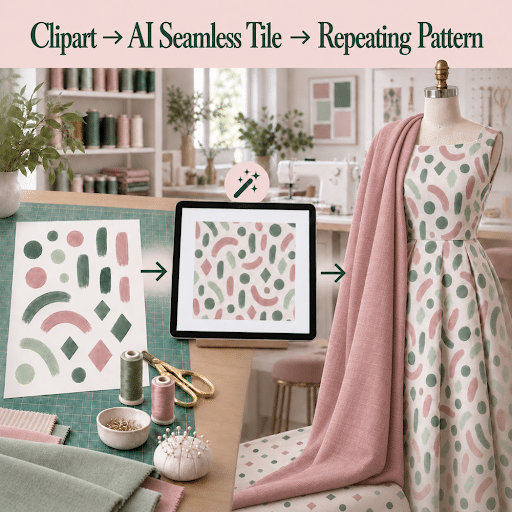
You’ll get better results if you upload the original transparent PNG elements individually. A screenshot of a finished planner page or flattened PDF gives ChatGPT much less to work with.
You should also be specific about what you want. Tell ChatGPT:
- The finished tile dimensions
- The intended printed size
- Which illustrations must remain unchanged
- Whether the design should be directional or work from every angle
- How crowded or spacious you want the pattern
- Your preferred background and supporting colors
- Whether you want a basic repeat, half-drop, half-brick or another arrangement
Then ask for two files or views: the seamless tile itself and a larger preview showing several copies repeated together.
Here’s the caution: image-generation tools can sometimes redraw or subtly change uploaded artwork. If preserving every brushstroke or clipart detail matters, make that clear and use a precise compositing approach rather than asking for a creative reinterpretation.
And always test the finished tile. A beautiful patterned rectangle isn’t necessarily a seamless repeat.
Can You Make Seamless Patterns in Canva?
Yes. Canva now offers a Pattern Maker app that can generate seamless, repeating patterns. You can start with a written description and incorporate your own uploaded images. It currently includes a limited number of free generation credits before requiring a separate subscription.
There’s also a Tile to Pattern app in Canva. That tool is useful for previewing and repeating a tile, although your uploaded tile generally needs to be seamless already.
You can build a repeat manually in Canva, too. The basic rule is simple:
If an object crosses the left edge, an identical copy must continue from the right edge in exactly the same vertical position.
If an object crosses the top edge, an identical copy must continue from the bottom in exactly the same horizontal position.
If an object crosses a corner, corresponding portions must appear in the other matching corners.
After downloading the tile, repeat it in a larger grid and zoom in closely on every join. Look for white lines, sudden gaps, awkward clusters and obvious squares.
Canva is convenient for simple patterns, but manually matching every edge can get fiddly. Photoshop, Illustrator, Affinity and Procreate offer more precise pattern and offset tools. If you’d rather not learn new software, a ChatGPT-assisted or Canva-generated first version followed by careful proofing may be enough for many designs.
Check Your Artwork Licenses Before You Upload Anything
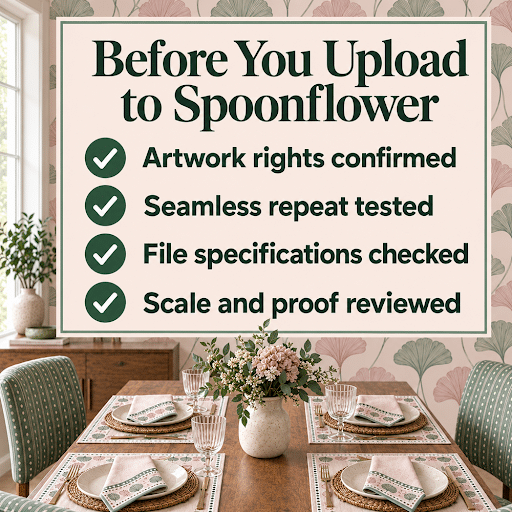
This may be the most important warning in this post.
You must own the artwork or have the legal right to reproduce and distribute it on Spoonflower products.
If you drew or painted the artwork yourself, that part is straightforward. If you purchased clipart, digital paper, fonts or other design resources, read the license carefully.
“Commercial use allowed” doesn’t always mean “upload this to a print-on-demand marketplace.” Some licenses prohibit POD use. Others require an extended license, limit the number of physical products you may sell or require the artwork to be combined into a substantially new design.
The same caution applies to Canva elements. Canva permits original designs containing its Free or Pro content to be used on some print-on-demand products, but you can’t simply place one Canva library element on a product and resell it unchanged. Canva also points out that its elements are licensed to you; you don’t own their copyright.
The cleanest option is original artwork that you created (or had AI create) and only used Canva to arrange.
If you aren’t certain what a license permits, don’t upload the artwork until you’ve confirmed it.
The Pros and Cons of Selling on Spoonflower
Here’s my honest assessment.
The Pros
- You may be able to earn more from artwork you’ve already created.
- You won’t have to buy inventory or fulfill physical orders.
- One design can appear on numerous products.
- Spoonflower already attracts people looking specifically for fabric, wallpaper and home décor designs.
- Coordinated collections and colorways give you several logical ways to expand one idea.
- You retain the rights to your original artwork.
- Optional third-party distribution may extend your reach beyond Spoonflower.
The Cons
- The 10% starting royalty is modest.
- The marketplace is crowded, so simply uploading designs probably won’t be enough.
- Every design needs a title, description, tags and proofing.
- Printed colors and scale can differ from what you see onscreen.
- Seamless patterns require careful testing.
- Not every digital-product asset will work on fabric or home décor.
- Clipart and other licensed graphics may not permit this use.
- Spoonflower’s Design Challenges have stricter content rules than its general marketplace and may reject clipart, stock, public-domain or text-to-image AI artwork.
Is Spoonflower Worth Trying?
For the right creator, I think it is.
If you already have original artwork sitting inside invitations, greeting cards, digital backgrounds, seamless patterns or other products, Spoonflower gives you a way to send that artwork into an entirely different market.
You won’t need to order boxes of fabric or turn your home into a shipping department. You won’t need to learn how to manufacture wallpaper or sew curtains. But you will need five polished designs, seamless repeats, accurate product information, careful proofing and a plan for helping shoppers find your work.
I wouldn’t convert your entire catalog at once. Start with one visual theme and build a five-design coordinated collection. Apply with your strongest work. Order a swatch. See how long the process takes and whether you enjoy creating patterns.
Then decide whether Spoonflower deserves a place in your ongoing product strategy.
That’s the part that caught my attention: you may not have to invent a whole new kind of product from scratch. The raw material could already be hiding in designs you’ve created.
And when I find a new way to help your existing work earn its keep, you know I’m going to tell you about it.
Useful Links to Spoonflower
- Sell Your Designs on Spoonflower
- Spoonflower Artist Application
- Spoonflower Upload Requirements
- How Spoonflower Royalties Work
- Canva Pattern Generator
- Canva’s Guidance for Products You Sell
Spoonflower’s requirements, royalty structure, product selection and policies can change. Check the current terms before applying or uploading your work. This article isn’t legal advice; review the specific licenses that apply to your artwork.