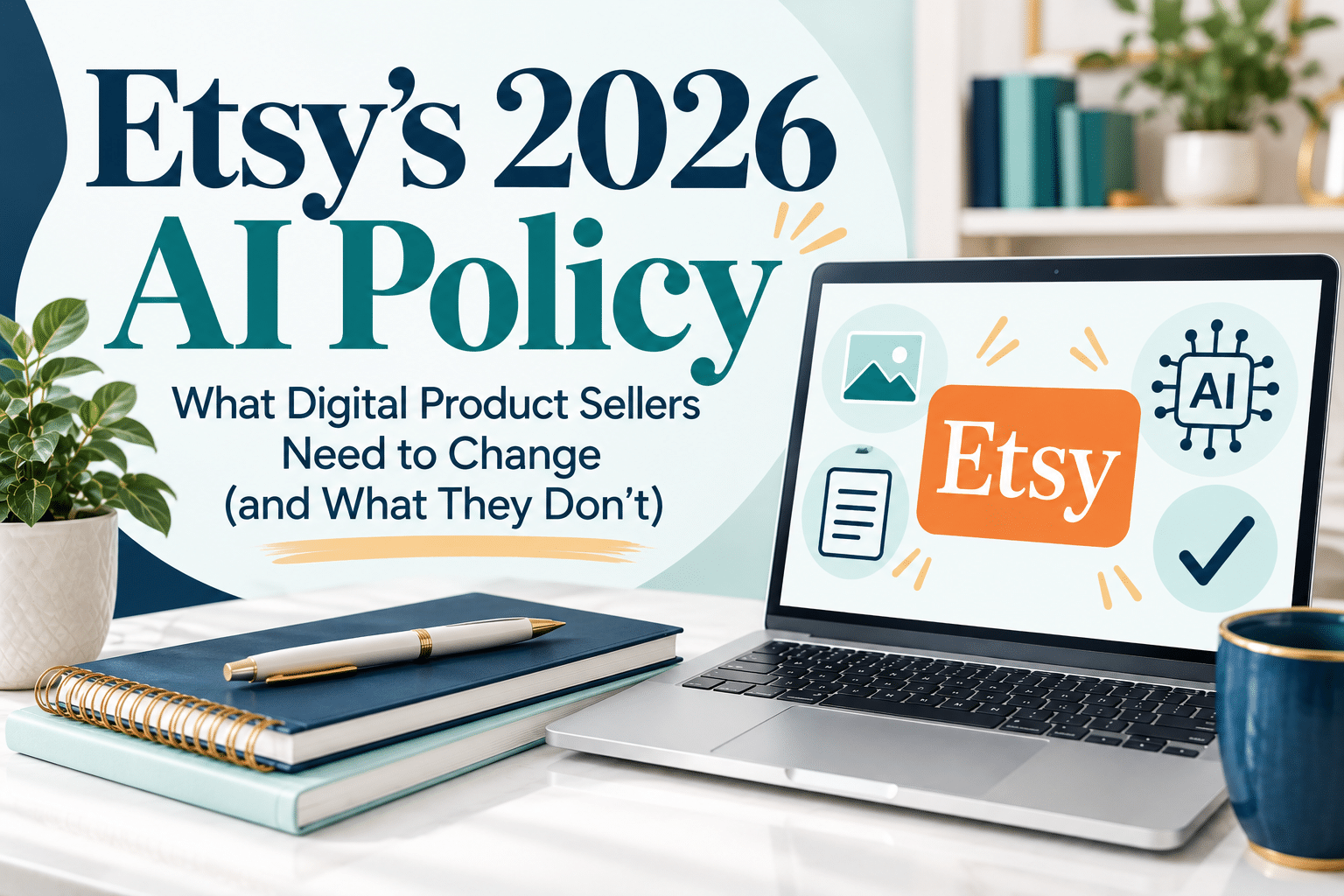
Yesterday, Etsy dropped what seemed to be an AI bomb on sellers without warning. Many people began scrambling to figure out how this would change their shops/listings/sales. But when you walk through the announcement step-by-step, it's pretty clear:
(1) The changes that digital product sellers need to make vs. physical product sellers
(2) The types of products that will no longer be accepted IF they were created by AI
I'll explain both and give you some ideas and next steps to help you successfully adjust.

Here's the short version:
Etsy has NOT banned AI-generated products.
Sellers can continue creating and selling eligible AI-generated products, including clipart and artwork, provided they follow Etsy's requirements for original creative input, individual human involvement, and AI disclosure.
What Etsy is restricting is mass-automated product generation without individualized human oversight, certain AI-generated functional instructions, AI prompt bundles, and other prohibited content. Etsy has also introduced more specific listing image requirements.
For most digital product sellers, the biggest immediate change involves showing buyers actual previews of what they're purchasing. Sellers of instructional products also need to look carefully at how their content was created.
And yes, these changes apply to existing listings, not just new ones. Let's sort through what actually matters.
Changes Digital Product Sellers Need to Make
This is the section most digital sellers are struggling with. There is one part that will bring clarification (and a sigh of relief).
You do NOT have to photograph every digital product in a physical setting.
Etsy's updated Listing Image Requirements distinguish digital downloads from physical merchandise.
For digital downloads with visual content, Etsy requires a visual preview or excerpt of the actual content buyers will receive. I think most digital product sellers are doing this already. You can still use attractive listing graphics, mockups, and promotional images. But buyers also need an opportunity to see the real product.
1. Show an Actual Preview of Your Digital Product
Let's say you sell a printable weekly planner. Your listing might include a beautiful mockup showing the planner on a desk next to a coffee cup. That's fine, provided it accurately represents your product.
However, your listing should also include an image showing the actual planner page customers will receive.
Here are a few examples:
Digital product — What to show
Printable planners — Actual planner pages
Google Sheets trackers — Screenshots of the real spreadsheet
Canva templates — Actual template layouts
Digital wall art — An accurate image of the artwork
Workbooks — Sample pages from the workbook
Ebook templates — Actual interior page designs
Digital invitations — The real invitation design
Does the actual product preview have to be your first listing image?
No. Etsy recommends making the first image the clearest, most realistic representation of the product, but its digital download policy doesn't specifically require the actual preview to occupy that first position.
My suggestion? Keep your attractive main image if it accurately shows the product. Then make sure additional images clearly demonstrate what customers will download.
What about audio files or other digital products without visual content?
Etsy makes an exception for digital products that don't have visual elements. Representative imagery, including AI-generated images, may be used as long as it doesn't mislead buyers.
That's an important distinction. Not every digital product requires the same type of preview.
2. Check Whether Your Product Contains AI-Generated Instructions
This is potentially the biggest change for sellers of instructional digital products. Etsy now prohibits AI-generated functional instructions. Functional instructions are directions that help someone complete a task or achieve a specific result.
Etsy specifically identifies these examples:
• Knitting, crochet, sewing, embroidery, quilting, and beading patterns
• Recipes
• Building and woodworking plans
• Instruction and assembly manuals
• Instructional guides and ebooks that provide directions for completing a task or producing a specific result
Here's what matters:
Etsy isn't saying that instructional products are prohibited. It's saying the functional instructions themselves cannot be generated by AI.
For example, a crochet pattern you personally designed, wrote, and tested isn't automatically prohibited because it's a crochet pattern. But a crochet pattern generated by ChatGPT presents a policy problem, even if the finished PDF looks professional.
The same applies to recipes, woodworking plans, and other functional directions.
What about ebooks, courses, and educational printables?
This is where sellers need to examine the content rather than rely on the product category. An ebook containing AI-generated step-by-step instructions for completing a specific task could fall within Etsy's prohibition.
Here's a fictional example. A printable checklist, journal, educational worksheet, or informational resource isn't automatically prohibited simply because AI helped brainstorm, organize and outline it. However, if the core product contains AI-generated functional directions, those portions deserve particular scrutiny.
Important: Etsy's examples aren't an exhaustive list. The deciding factor is the purpose and origin of the instructions, not whether your product happens to be called an ebook, guide, workbook, or planner.
If AI originally wrote the functional directions and you subsequently edited them, don't assume that editing alone makes them acceptable. Etsy's wording focuses on whether the instructions were generated by AI. The safer approach is to develop, write, and verify functional instructions yourself.
3. Review Your AI Disclosures
Etsy continues to allow many seller-prompted AI creations, including AI-generated artwork developed through a seller's original prompts and creative decisions. But Etsy requires sellers to disclose in their listing descriptions when an item was created using AI.
For example, if you use AI to generate original artwork for a printable art collection, you'll need to describe that involvement accurately. That doesn't mean every use of an AI tool automatically requires the same disclosure.
Using ChatGPT to brainstorm product ideas, organize a production schedule, or help polish or refine images included in the product is different from selling an item whose core content was fully created using AI.
Also, Etsy recommends mentioning AI edits to listing photos in your description. That's separate from its requirement to disclose AI-created products.
The practical takeaway: Review how AI contributed to the product itself, and make sure your description accurately represents that contribution.
Yes, You Can Still Create AI-Generated Products
This is an important point because I've seen sellers expressing concern that Etsy has banned AI-created artwork, clipart, and other digital products.
That's not what Etsy's new policy says.
Etsy allows eligible AI-generated products when sellers contribute original creative input to each item. That includes developing their own prompts, directing the creative process, reviewing the results, and making individual creative decisions.
For example, if you're creating a collection of watercolor-style clipart, you can still use AI to generate the artwork. You might write your own prompts, adjust the composition or style, request revisions, select the best results, and refine the finished collection.
The key is that you're actively involved in creating the products—not simply running an unattended automated system that generates hundreds of items.
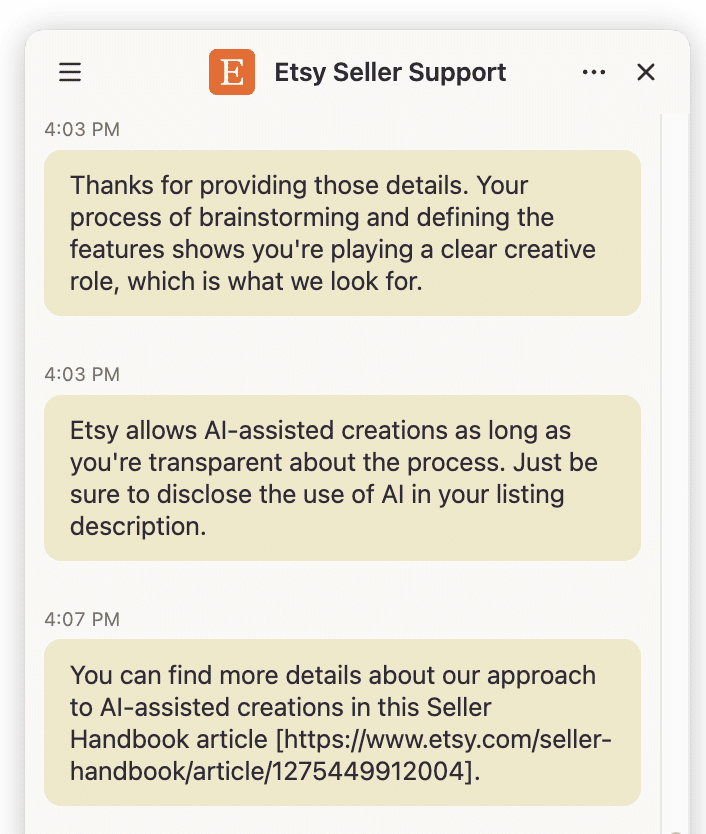
I Asked Etsy Seller Support Directly
To make sure I understood this distinction correctly, I contacted Etsy Seller Support and asked whether clipart sellers could continue using AI when they personally write the prompts and actively guide the creation process.
Etsy Seller Support answered: “Yes — that's generally right.”
The representative explained that AI-created items can be allowed when they remain the seller's original design and include direct creative input, such as writing original prompts and actively guiding the results for each specific item.
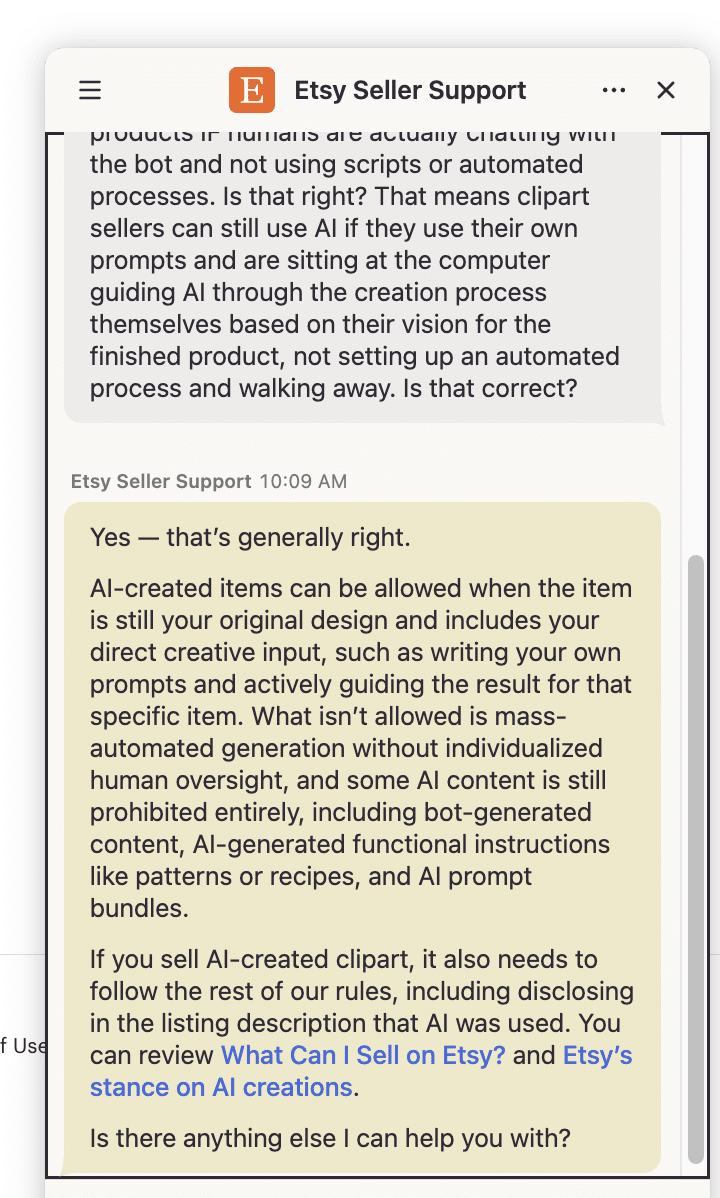
The representative also confirmed that mass-automated generation without individualized human oversight isn't permitted, and that AI-generated clipart must comply with Etsy's other requirements, including AI disclosure.
This is an important clarification for sellers who create clipart, printable artwork, digital illustrations, and other AI-assisted designs.
One distinction is worth emphasizing: Etsy doesn't require a particular amount of time sitting at your computer or a specific number of prompts. Its published standard focuses on direct, individual human prompting, curation, and creative input into each item.
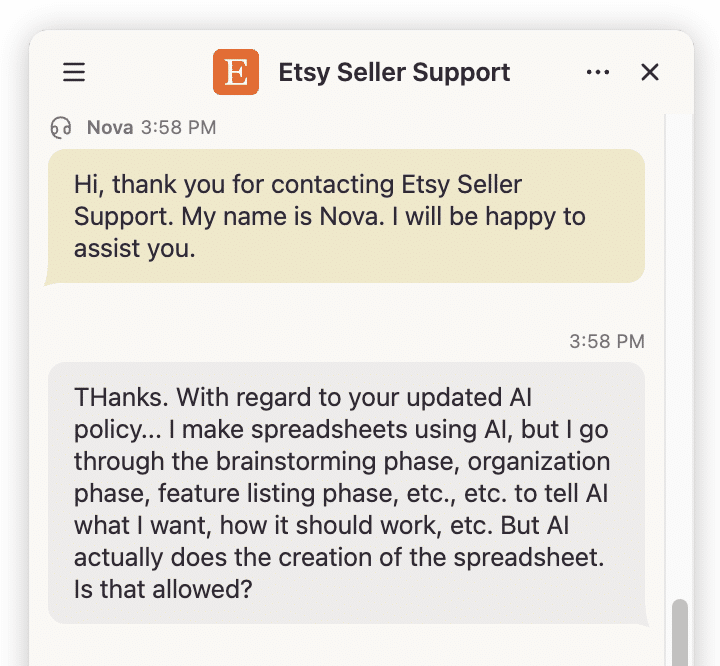
You don't have to stop using AI to create eligible products. You do need to remain meaningfully involved in creating them and follow Etsy's other rules. And you need to explain/justify the AI involvement as mentioned during this other Etsy support chat I had.
This was about creating complex spreadsheets to sell using the process I teach.
Also, please note that Etsy Seller Support's response is a helpful clarification—not a blanket approval of every AI-created product. Individual products still have to satisfy Etsy's published policies.
5. Don't Overlook AI Prompt Bundles and Automated Products
Two other restrictions deserve attention.
AI prompt bundles: Etsy prohibits selling bundles of AI prompts as standalone products, including prompts you've written yourself.
Fully automated products: Etsy prohibits mass-automated generation of products or listings without individual human oversight. Each item must involve direct human prompting, curation, and creative input specific to that product.
This doesn't mean you can't use AI to work faster. It means that generating hundreds of products automatically, without you being meaningfully involved in the creative process, can violate Etsy's policies.
For sellers building product collections, the goal should be original, useful products—not simply increasing the number of listings.
Changes Physical Product Sellers Need to Make
If you sell physical products, Etsy's updated image requirements are especially important.
1. Include at Least One Real, Unedited Product Photo
For most physical products, Etsy now requires at least one unedited photograph of the actual item against a real background.
That means no AI-generated replacement for the actual product, no digitally created approximation, and no editing of the required original photo.
You can still use edited images elsewhere in the listing.
For example, after including the required unedited photo, you can generally use additional images with improved lighting, adjusted color balance, cropped compositions, or changed backgrounds.
But those edits cannot misrepresent the actual product.
You shouldn't digitally hide defects, change a product's texture, or make an item appear more impressive than what customers will receive.
2. Print-on-Demand Sellers Have an Exception
If you sell print-on-demand products, don't panic about having to purchase and photograph every single design.
Etsy allows authorized stock-photo mockups when a production partner prints your original design on a standard product, such as a mug or T-shirt.
However, the mockup must accurately represent what customers will receive.
A beautiful AI-generated image of a sweatshirt isn't acceptable if the actual sweatshirt has a substantially different shape, fabric appearance, print placement, or design.
Remember that Etsy's production-partner disclosure requirements still apply.
3. Sellers of Patterns, Recipes, and Similar Products Need Real Results
If you sell craft patterns, recipes, or similar products, Etsy also requires real photographic evidence of the results.
For example:
• A crochet pattern should show an actual finished crochet project.
• A recipe should show the real prepared dish.
• A craft project guide should show something actually made using the instructions.
AI-generated or simulated results aren't substitutes for the required real evidence.
This is a separate requirement from the restriction on AI-generated functional instructions. Your instructions and your listing images both need to comply.
Do Etsy's New AI Rules Apply to Existing Listings?
Yes.
Etsy directly addresses this in the FAQ accompanying its October 22, 2026 announcement.
If your existing listings don't meet the updated image requirements, Etsy says you need to update them.
And if a buyer receives something materially different from what your images show, you could be responsible for a refund.
What's the Deadline for Updating Existing Etsy Listings?
As of October 23, 2026, Etsy hasn't announced a universal deadline or grace period for bringing existing listings into compliance.
That doesn't mean you should wait.
I'd recommend beginning with your best-selling products, followed by listings with potentially misleading mockups, missing previews, or AI-generated instructional content.
Etsy also says it's strengthening its ability to detect misleading AI imagery and enforce its policies. So while there's no universal revision deadline stated in the announcement, there's a good reason to start reviewing now.
What Can Etsy Sellers Still Use AI For?
Quite a lot!
Etsy isn't telling sellers to abandon AI. It's emphasizing human creativity, accurate product representation, and transparency.
Depending on how you use the results, AI can still help with:
• Brainstorming product ideas and identifying customer needs
• Researching potential product collections
• Developing outlines and planning layouts
• Exploring color palettes, typography, and design directions
• Organizing product-development workflows
• Drafting marketing copy for human review
• Creating eligible AI-generated clipart, artwork, and illustrations with individual creative involvement and appropriate disclosure
• Editing supplemental listing images without misleading buyers
For instructional products, keep an especially clear boundary between AI helping you plan your work and AI generating the actual directions customers will follow.
And remember that using AI responsibly doesn't replace Etsy's other requirements for originality, intellectual property, and truthful listings.
How to Review a LOT of Etsy Products Without Getting Overwhelmed
If you've got 10 listings, reviewing them individually probably won't take too long.
But what if you've got 75? Or 300?
Trying to remember which listings you've checked, what needs to change, and which updates you've completed could quickly become a mess.
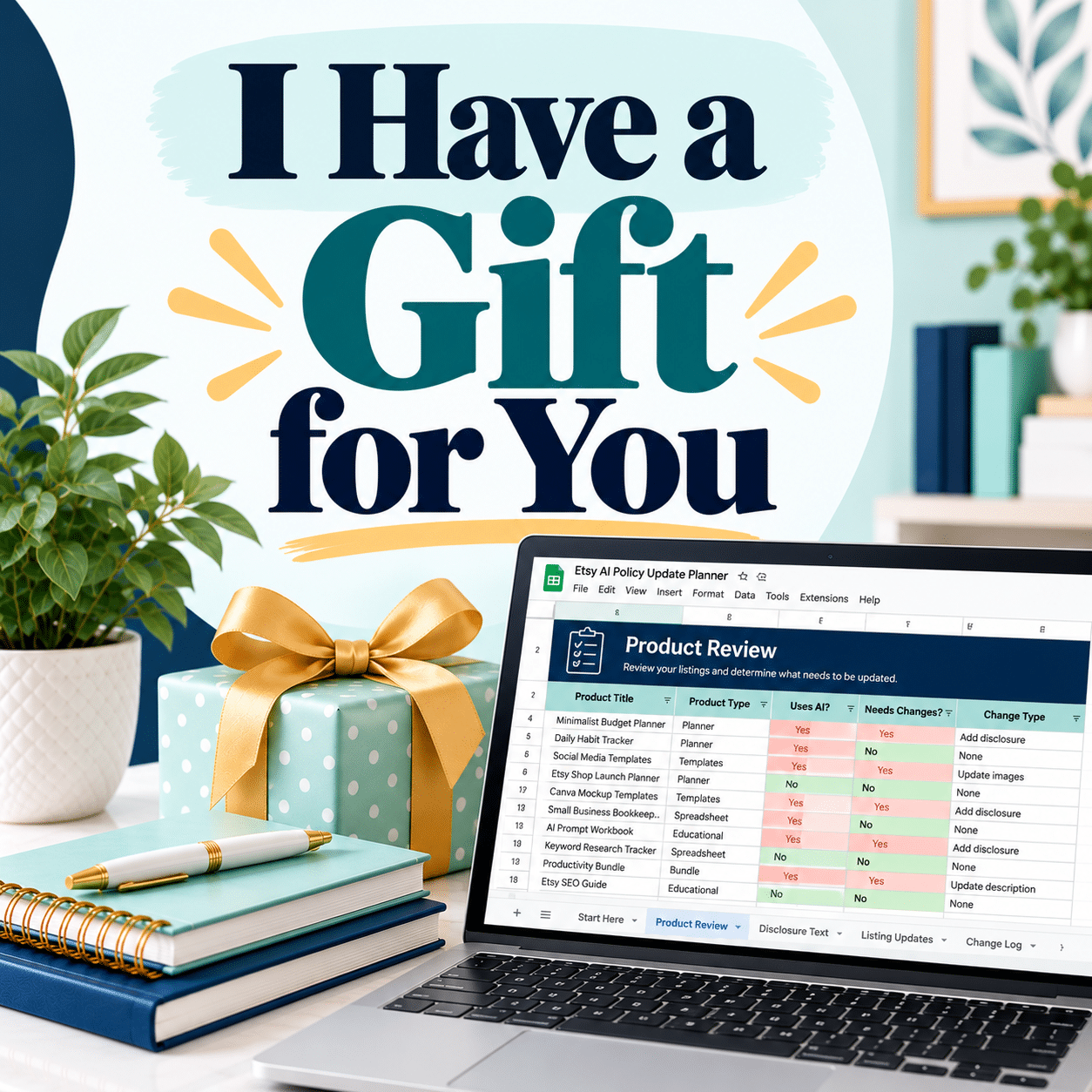
That's why I created the Etsy AI Policy Update Planner.
It's a Google Sheets system designed to help you review your products and listings in one place.
Rather than keeping scattered notes, you can record:
• Whether each product is digital, physical, or print-on-demand
• Whether it contains instructional or functional content
• How AI was used in its creation
• Whether AI disclosures need attention
• Whether the listing includes appropriate actual product images or previews
• Whether other potential policy issues need investigation
The spreadsheet automatically evaluates your answers and identifies products as Needs Update, Incomplete, No Issues Flagged, or Updated / Complete.
It also includes an Action Plan to organize corrections and a Dashboard to monitor your review progress.
The planner is a self-audit tool, not an official Etsy compliance determination. Always refer to Etsy's policies when making final decisions.
My Recommended Next Steps for Etsy Sellers
You don't need to rebuild your entire shop this weekend.
But you should understand which listings are affected and create a plan to address them.
Start by reviewing your product catalog. Identify products containing functional instructions, then check whether those instructions were created by you or generated by AI.
Next, review your listing images. Digital product sellers should verify that buyers can see actual product content. Physical product sellers should check their required unedited photos. POD sellers should confirm their mockups accurately represent the finished merchandise.
Then review AI disclosures and prioritize any products that need attention.
If you have a larger catalog, use the planner to keep track of your progress rather than relying on memory.
The Bottom Line: Etsy Hasn't Banned AI
Despite some of the alarming conversations surrounding this announcement, Etsy hasn't prohibited all AI-created products.
Etsy still allows eligible AI-generated artwork, clipart, and other creative products when sellers provide direct, individual creative input and follow its disclosure and listing requirements. Your creative direction matters, and using AI as part of that process isn't automatically a policy violation.
At the same time, Etsy is drawing clearer boundaries around mass-automated products, functional instructions generated by AI, and listing images that don't accurately represent what customers receive.
For many established digital product sellers, the immediate changes may be relatively straightforward: improve product previews, review disclosures, and verify that instructional content meets Etsy's requirements.
For others—particularly sellers relying heavily on AI-generated how-to content—the changes could require more substantial revisions.
Either way, the smartest response isn't panic.
It's understanding the rules, reviewing what you're currently selling, and making the necessary changes before they become bigger problems.
Official Etsy Sources
Information current as of October 23, 2026. Etsy may revise its policies or enforcement guidance.
Other Related Posts You’ll Love
5 Quick Fixes for More Etsy Sales
10 Etsy Alternatives for Printables & Digital Download Sellers